Debug AI Agents with Mitmproxy
This post shows how I use mitmproxy to debug custom AI agents.
Recently, I was building an AI agent with LangChain. LangChain provides a high-level abstraction layer over multiple model providers, which is convenient until something breaks. Once that happens, it becomes hard to see the exact request payload your agent is sending. I wanted a lightweight way to inspect the final HTTP request sent to the model provider.
I chose mitmproxy to capture HTTP and HTTPS requests.
Install mitmproxy
uv tool install mitmproxy
This provides three distinct commands:
mitmproxy, a TUI interfacemitmdump, a file-based interfacemitmweb, a browser interface
Start the proxy
mitmweb --listen-host 127.0.0.1 --listen-port 8080 --web-host 127.0.0.1 --web-port 8081
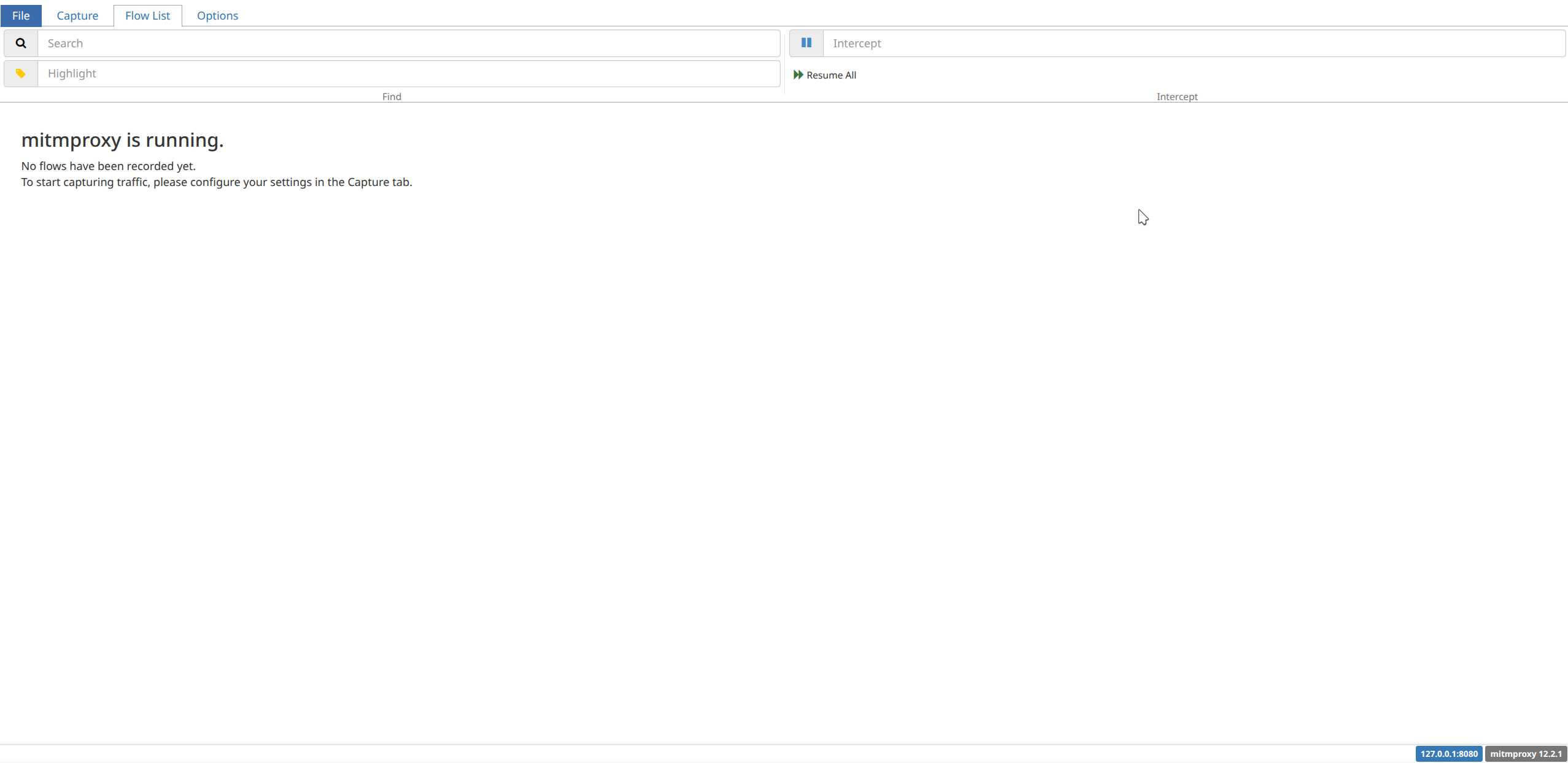
This command starts the proxy on 127.0.0.1:8080 and the web UI on 127.0.0.1:8081. Once it is running, point your agent traffic to the proxy and inspect requests in the browser.
Run your agent
HTTP_PROXY=http://127.0.0.1:8080 \
HTTPS_PROXY=http://127.0.0.1:8080 \
SSL_CERT_FILE=$HOME/.mitmproxy/mitmproxy-ca-cert.pem \
REQUESTS_CA_BUNDLE=$HOME/.mitmproxy/mitmproxy-ca-cert.pem \
python main2.py
Now all of your agent’s traffic will be recorded by mitmproxy.
A LangChain example
The LangChain documentation includes a quickstart for building a simple weather agent. This example can behave differently across model providers. One issue I ran into was that structured_response was not returned as expected.
With mitmproxy, I could see that the model correctly called two tools, but it never called the final ResponseFormat tool listed in the tools section. Instead, it returned plain text directly.
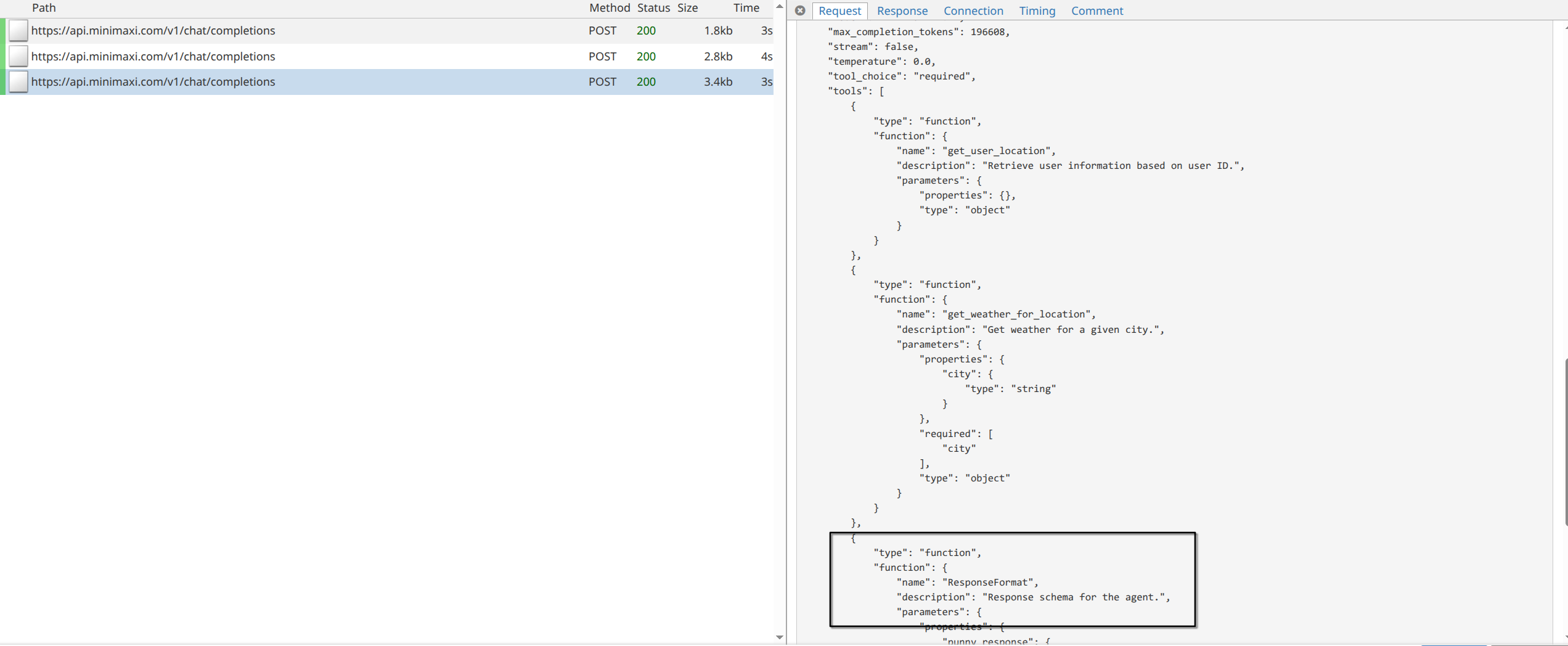
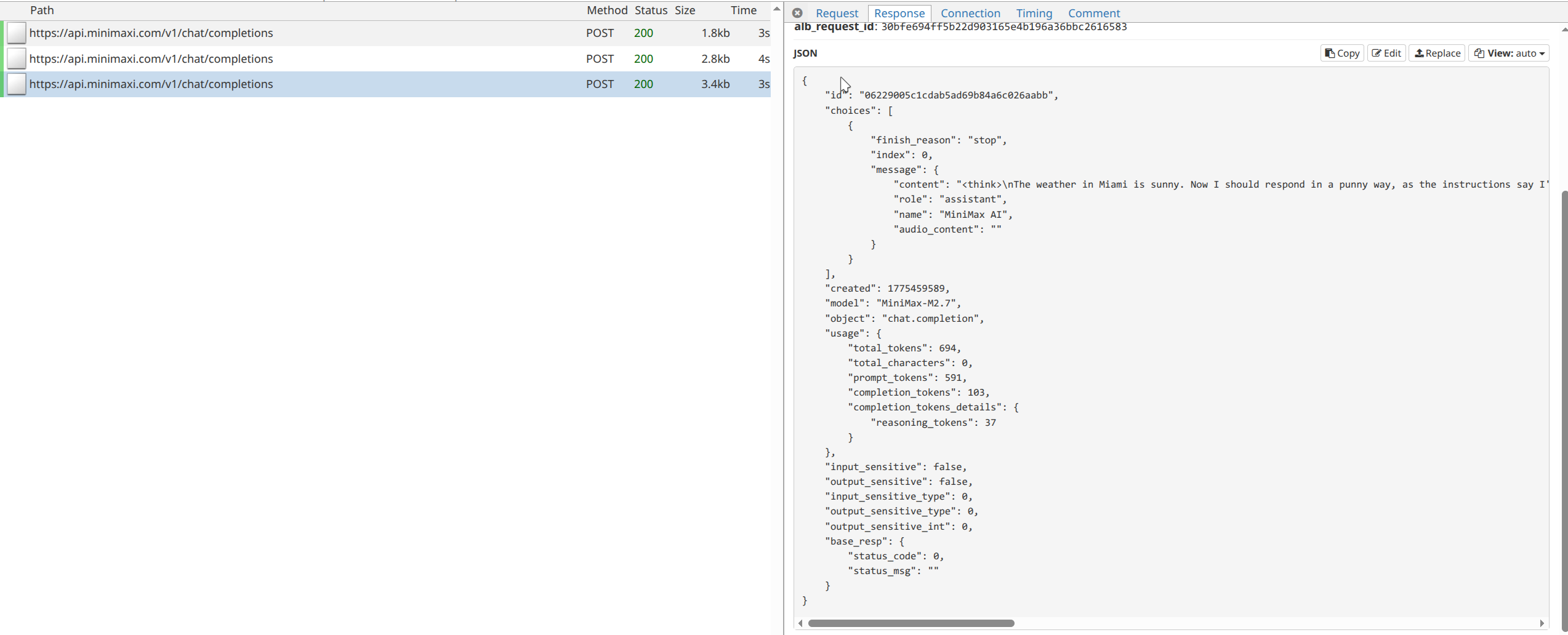
One likely reason is that the system prompt explicitly mentioned only two available tools, even though LangChain had actually provided three. I first tried removing that ambiguity from the prompt:
SYSTEM_PROMPT = """You are an expert weather forecaster, who speaks in puns.

If a user asks you for the weather, make sure you know the location. If you can tell from the question that they mean wherever they are, use the get_user_location tool to find their location."""
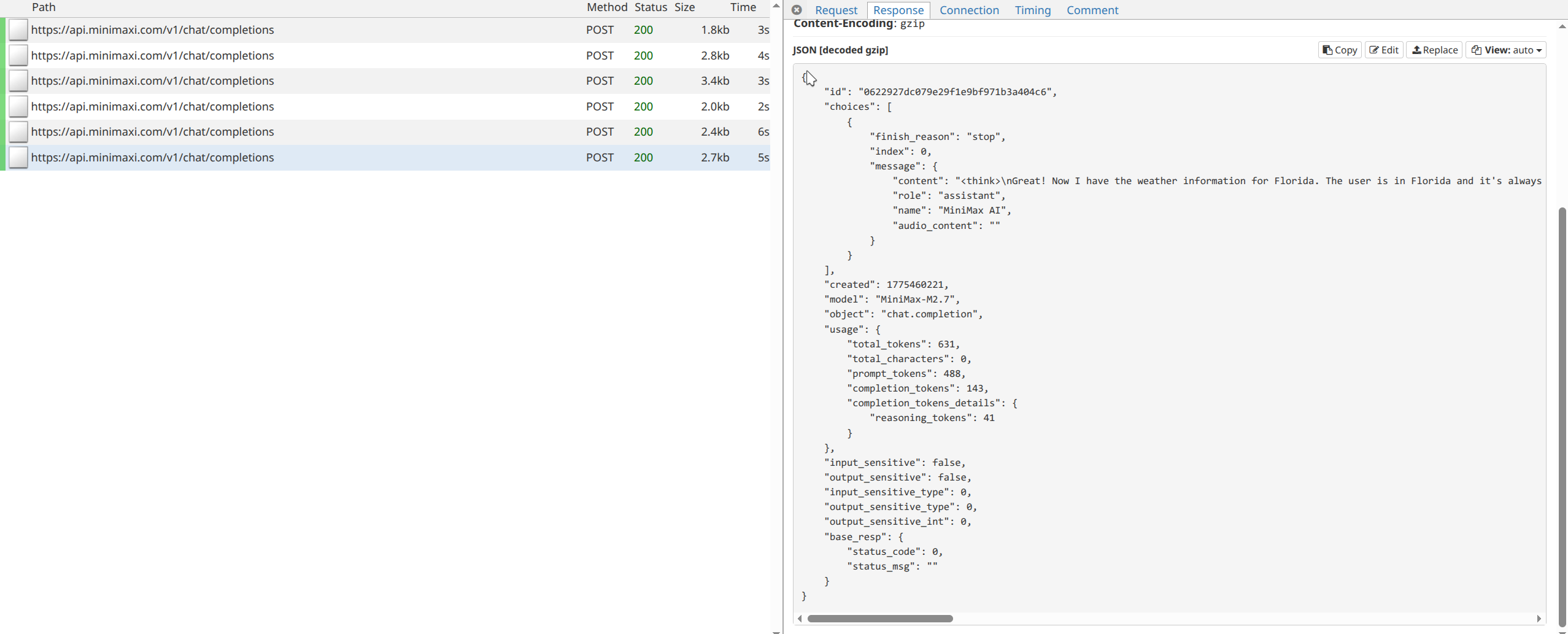
That still failed to produce a structured response. So I made the requirement more clearly:
SYSTEM_PROMPT = """You are an expert weather forecaster, who speaks in puns.

If a user asks you for the weather, make sure you know the location. If you can tell from the question that they mean wherever they are, use the get_user_location tool to find their location.

Use ResponseFormat to return the final answer.
"""
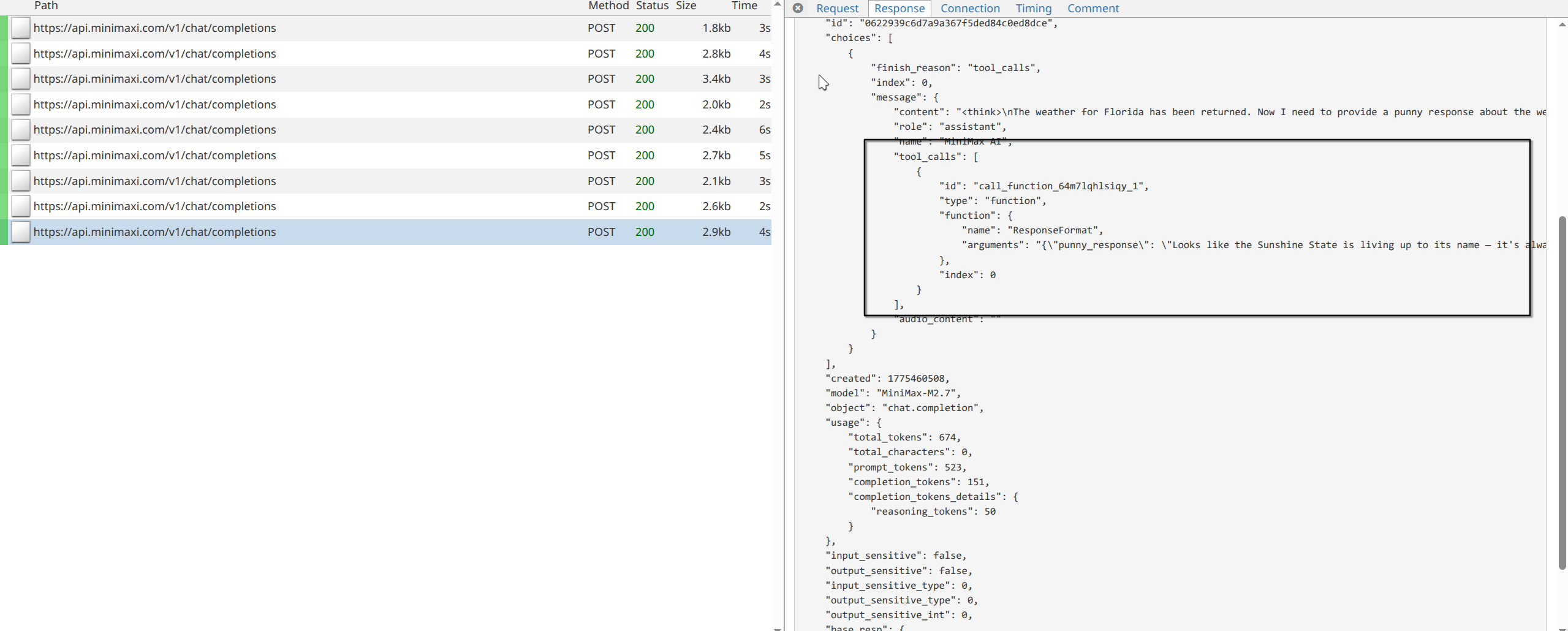
After that, the model finally called the correct tool to format the final answer. There’s no another visible post recored after this because LangChain handles that tool call internally and breaks the loop.
This small example shows why harness engineering matter so much when working with LLM-based agents. Even when the tooling is correct, model behavior can still be unpredictable, and inspecting the raw request and response flow makes those failures much easier to understand.